> ## Documentation Index
> Fetch the complete documentation index at: https://docs.verbex.ai/llms.txt
> Use this file to discover all available pages before exploring further.
# Guideline for Desigining the Agentic Workflow
> Learn how to design effective agentic workflows with step-by-step guidance for beginners. This guide helps you create automated processes that work intelligently to accomplish your goals.
**What you'll learn**
* How to design an effective agentic workflow step-by-step
* Understanding the different components of an agentic workflow
* Best practices for testing and optimizing your workflow
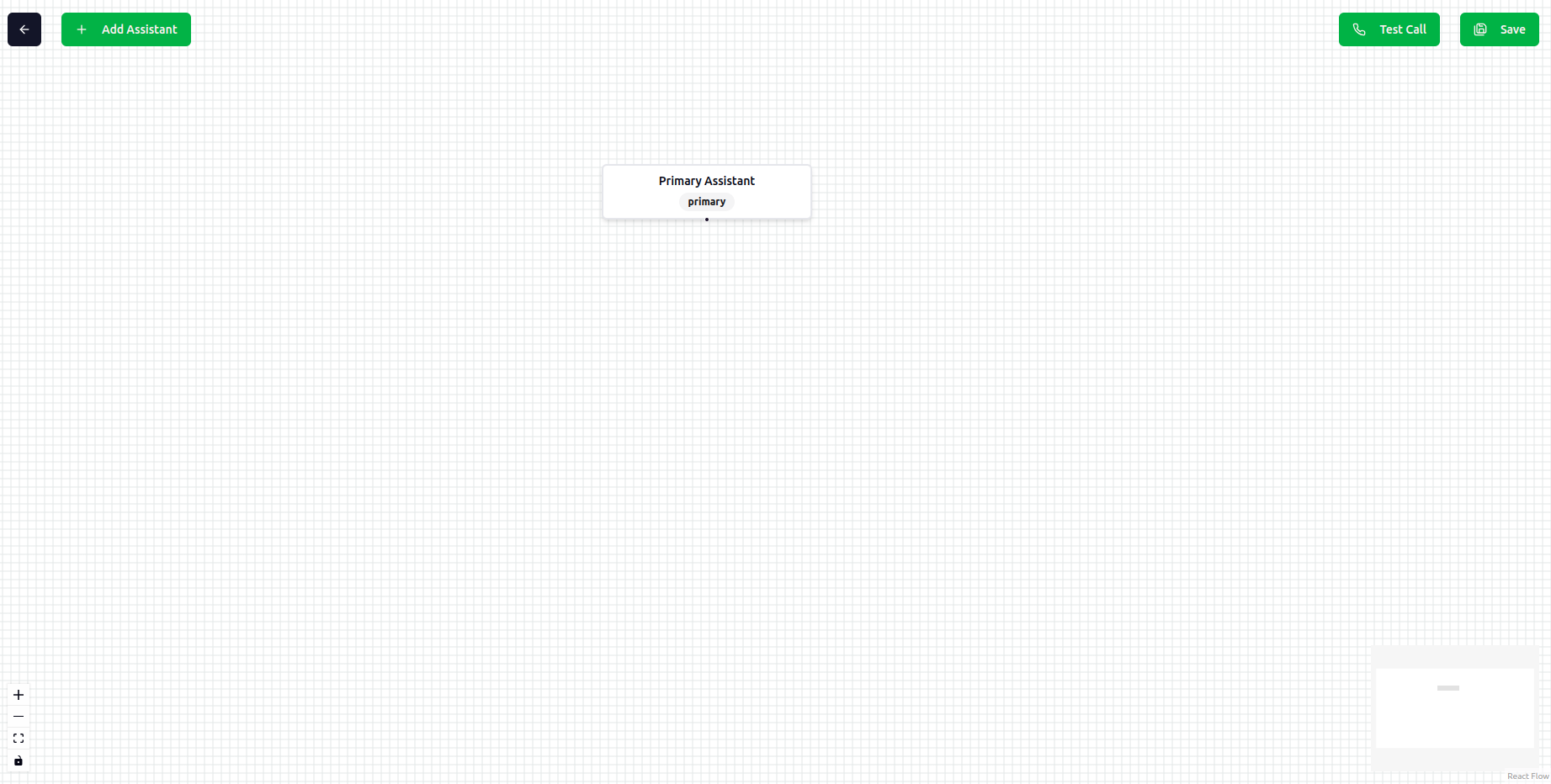 ## Workflow Parts
Workflow design has four parts:
* **Add Assistant**: Add an assistant to the workflow.
* **Connect Assistant**: Connect the assistant to it's parent assistant.
* **Save Workflow**: Save the workflow before testing.
* **Test Workflow**: Test the workflow to make sure it works as expected.
## Type of Assistant
### Primary Assistant
Primary assistant is the entry point of the workflow. It is the assistant that will be used to start the workflow and delegate the tasks to other assistants. Let's say you want to build an AI system that can schedule appointments, register complaints, and answer FAQs. You can create three assistants for each task and connect them with primary assistant.
Primary assistant can be used as following:
* **Task Delegation**: Delegate the task to other assistants.
* **Greeting**: Greet the caller and do some small talk.
* **Simple Agent**: Can be used as a simple agent just like the simple assistant.
## Workflow Parts
Workflow design has four parts:
* **Add Assistant**: Add an assistant to the workflow.
* **Connect Assistant**: Connect the assistant to it's parent assistant.
* **Save Workflow**: Save the workflow before testing.
* **Test Workflow**: Test the workflow to make sure it works as expected.
## Type of Assistant
### Primary Assistant
Primary assistant is the entry point of the workflow. It is the assistant that will be used to start the workflow and delegate the tasks to other assistants. Let's say you want to build an AI system that can schedule appointments, register complaints, and answer FAQs. You can create three assistants for each task and connect them with primary assistant.
Primary assistant can be used as following:
* **Task Delegation**: Delegate the task to other assistants.
* **Greeting**: Greet the caller and do some small talk.
* **Simple Agent**: Can be used as a simple agent just like the simple assistant.
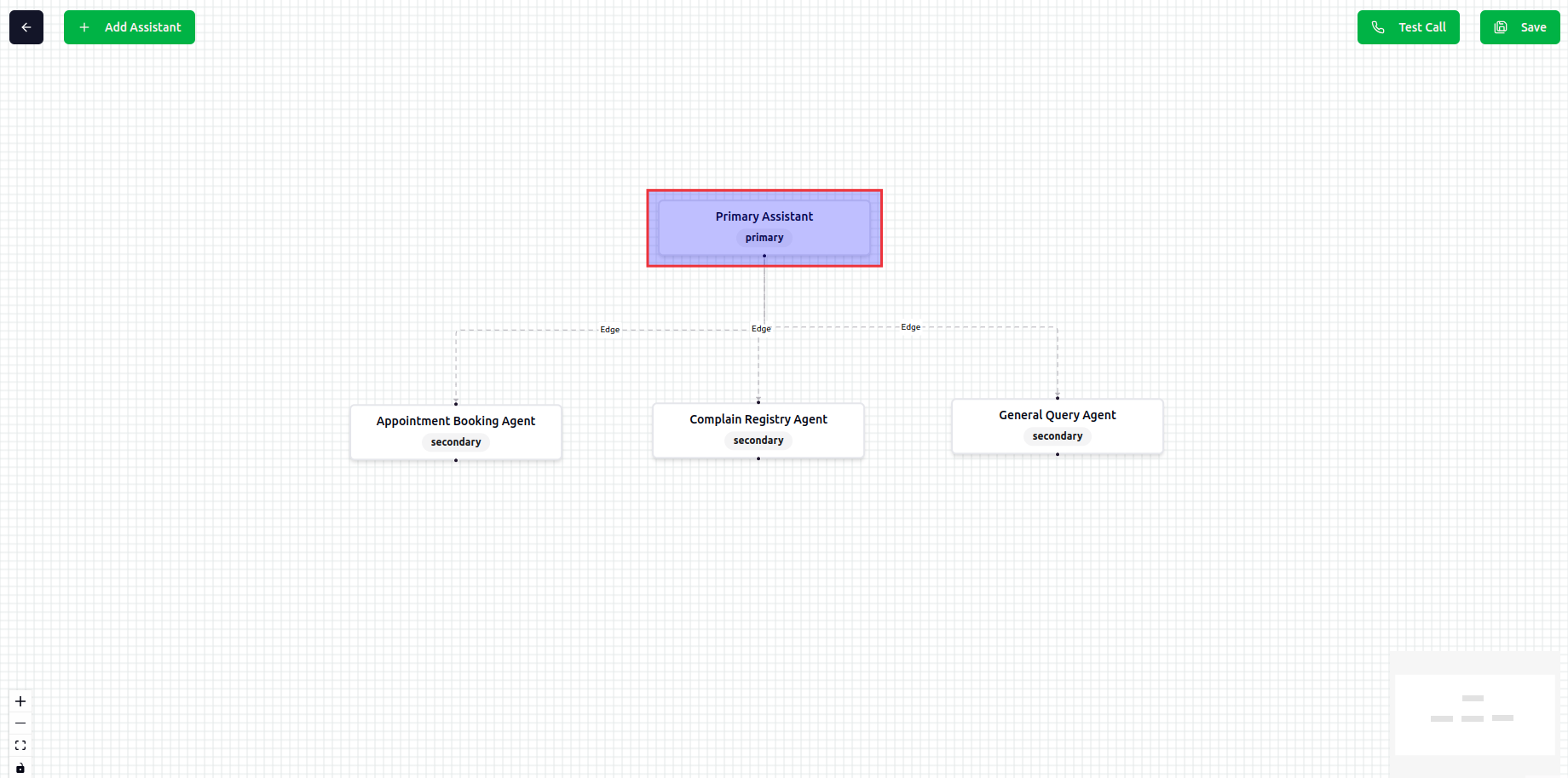 Primary assistant has following **components**:
* **Agent Capabilities**: Define the capabilities of the primary assistant. What it can do and what it can't do.
* **Agent Tasks**: Define the task steps that the primary assistant can follow.
* **Tools**: Define the tools that the primary assistant can use. It can be built-in tools or custom tools.
* **Knowledge Base**: You can connect your knowledge base to the primary assistant just like simple assistant.
Renaming the primary assistant title is not allowed.
## Secondary Assistant
Secondary assistant is the assistant that will be do the actual tasks. Like **Book Appointment**, **Register Complaint**, **Answer FAQ**. If caller ask "I want to book an appointment", the primary assistant will delegate the task to secondary assistant (Book Appointment Assistant). Then the secondary assistant will continue the conversation with the caller. It will check the availability of the slot, confirm the details and book the appointment. **When the task is completed, the secondary assistant will return the result to the primary assistant.**
Primary assistant has following **components**:
* **Agent Capabilities**: Define the capabilities of the primary assistant. What it can do and what it can't do.
* **Agent Tasks**: Define the task steps that the primary assistant can follow.
* **Tools**: Define the tools that the primary assistant can use. It can be built-in tools or custom tools.
* **Knowledge Base**: You can connect your knowledge base to the primary assistant just like simple assistant.
Renaming the primary assistant title is not allowed.
## Secondary Assistant
Secondary assistant is the assistant that will be do the actual tasks. Like **Book Appointment**, **Register Complaint**, **Answer FAQ**. If caller ask "I want to book an appointment", the primary assistant will delegate the task to secondary assistant (Book Appointment Assistant). Then the secondary assistant will continue the conversation with the caller. It will check the availability of the slot, confirm the details and book the appointment. **When the task is completed, the secondary assistant will return the result to the primary assistant.**
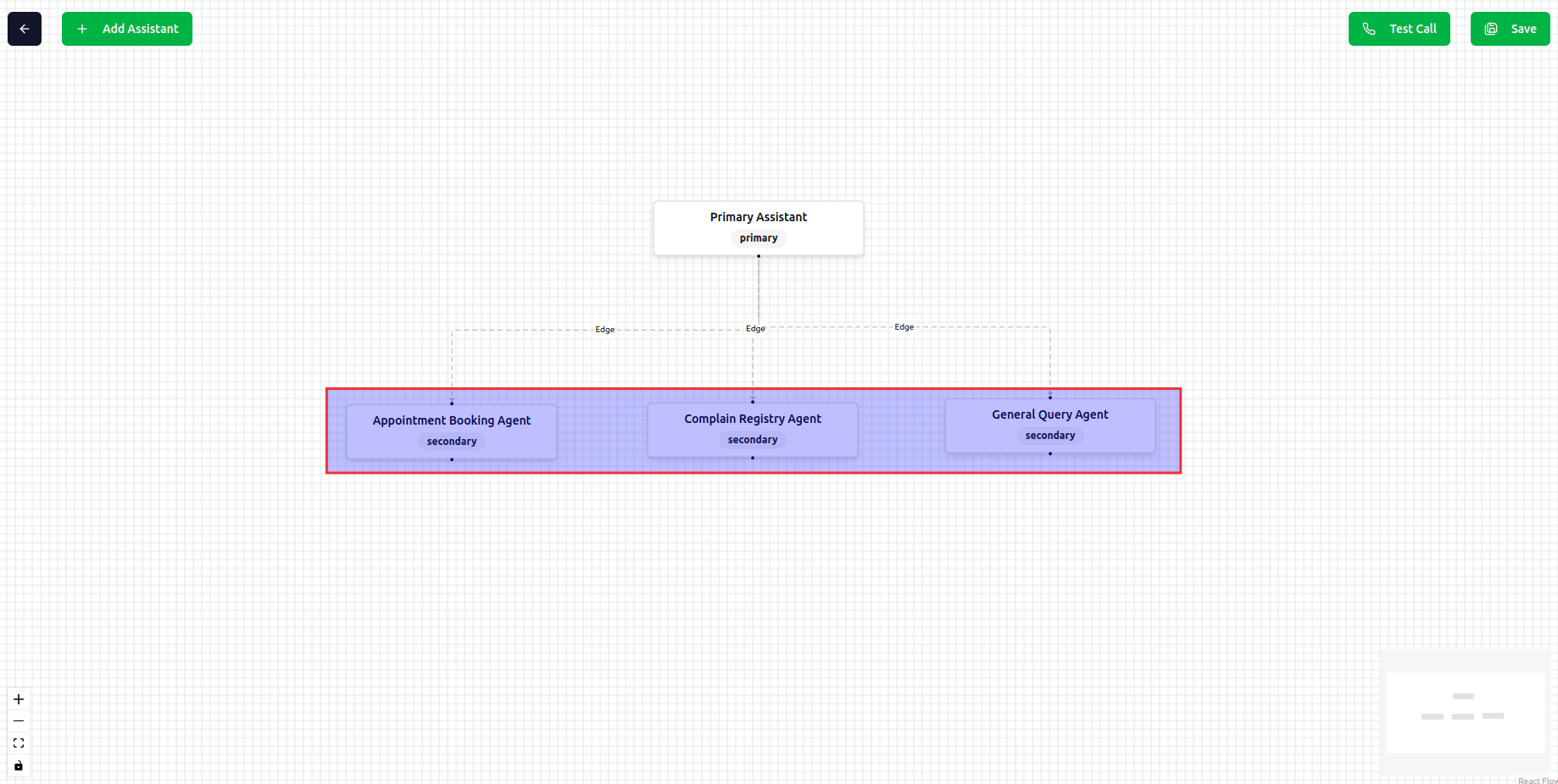 Secondary assistant has following **components**:
* **Agent Capabilities**: Define the capabilities of the secondary assistant. What it can do and what it can't do.
* **Agent Tasks**: Define the task steps that the secondary assistant can follow.
* **Tools**: Define the tools that the secondary assistant can use. It can be built-in tools or custom tools.
* **Knowledge Base**: You can connect your knowledge base to the secondary assistant just like simple assistant.
If you add a child assistant to the secondary assistant, it will act like both primary and secondary assistant and delegate the task to the child assistant when necessary.
Secondary assistant has following **components**:
* **Agent Capabilities**: Define the capabilities of the secondary assistant. What it can do and what it can't do.
* **Agent Tasks**: Define the task steps that the secondary assistant can follow.
* **Tools**: Define the tools that the secondary assistant can use. It can be built-in tools or custom tools.
* **Knowledge Base**: You can connect your knowledge base to the secondary assistant just like simple assistant.
If you add a child assistant to the secondary assistant, it will act like both primary and secondary assistant and delegate the task to the child assistant when necessary.
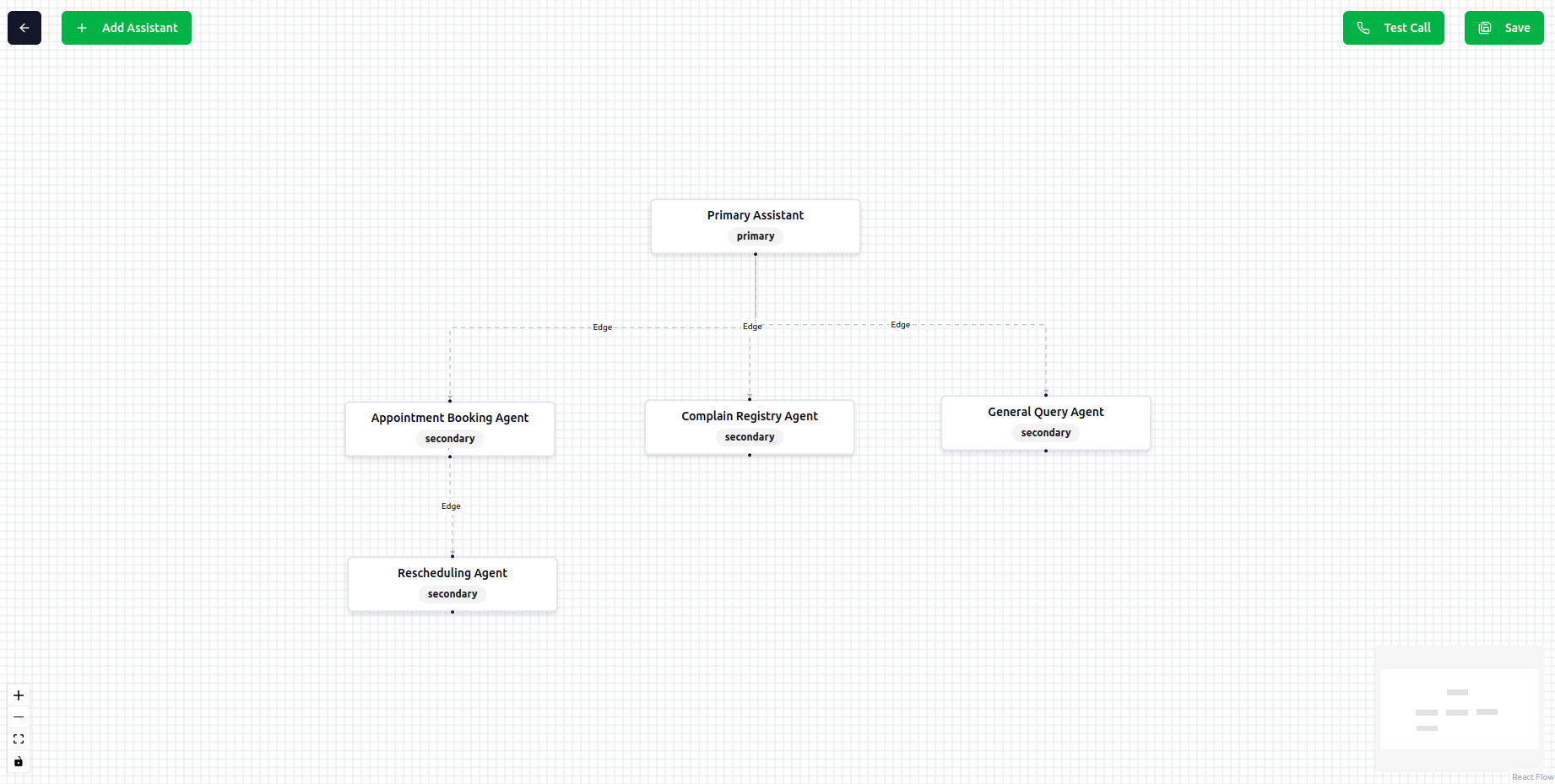 Remember always provide a descriptive title to the secondary assistant. It will help the LLM to understand the task and delegate it to the secondary assistant.
## Save the Workflow
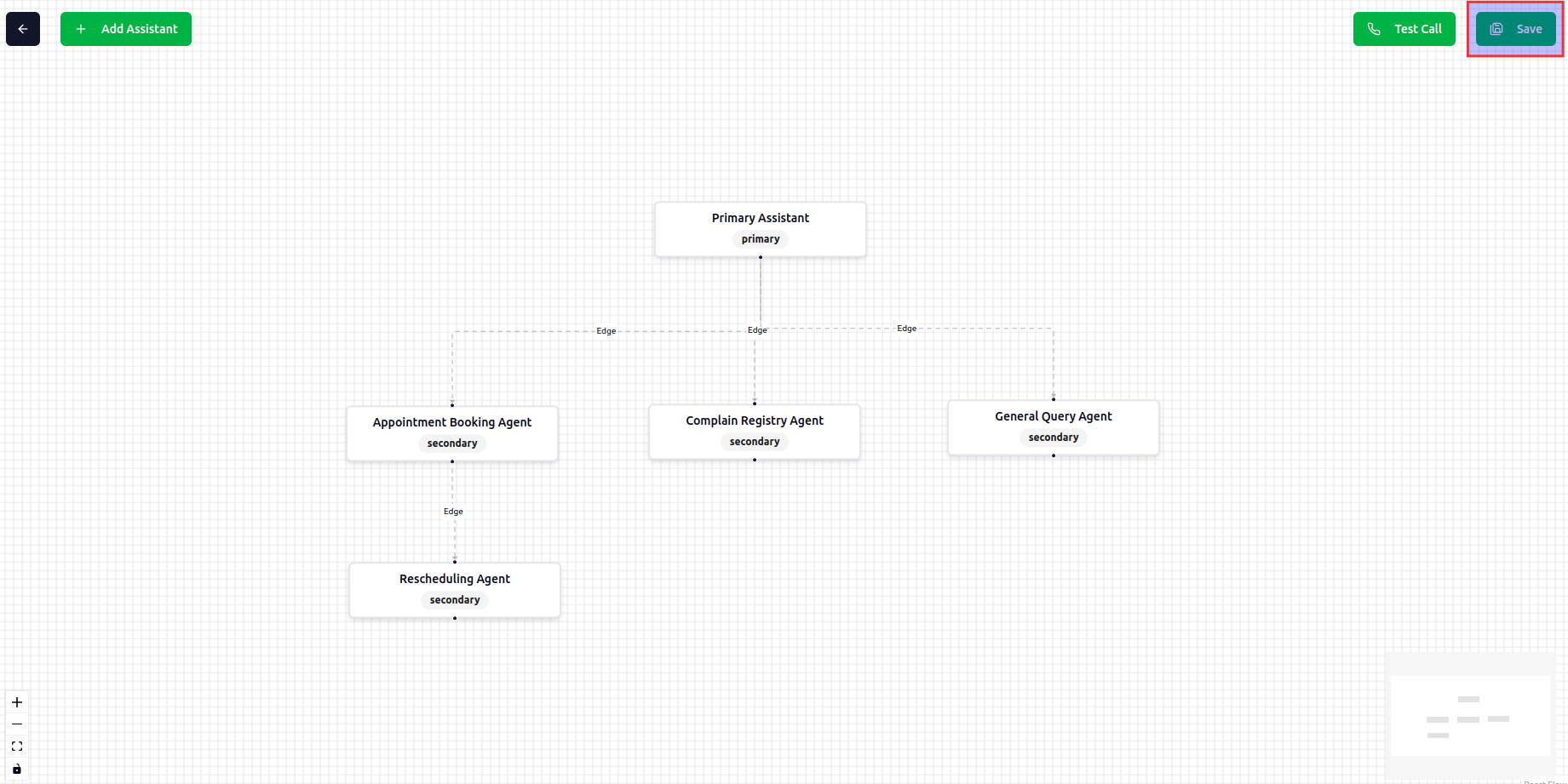
To save the workflow, you can use the **Save** button. It will save the workflow and you can use it later.
Remember always provide a descriptive title to the secondary assistant. It will help the LLM to understand the task and delegate it to the secondary assistant.
## Save the Workflow
To save the workflow, you can use the **Save** button. It will save the workflow and you can use it later.
 ## Testing the Workflow
To check the workflow, you can use the **Test** button. It will open a new tab with the workflow. You can see the conversation flow and the result.
## Testing the Workflow
To check the workflow, you can use the **Test** button. It will open a new tab with the workflow. You can see the conversation flow and the result.
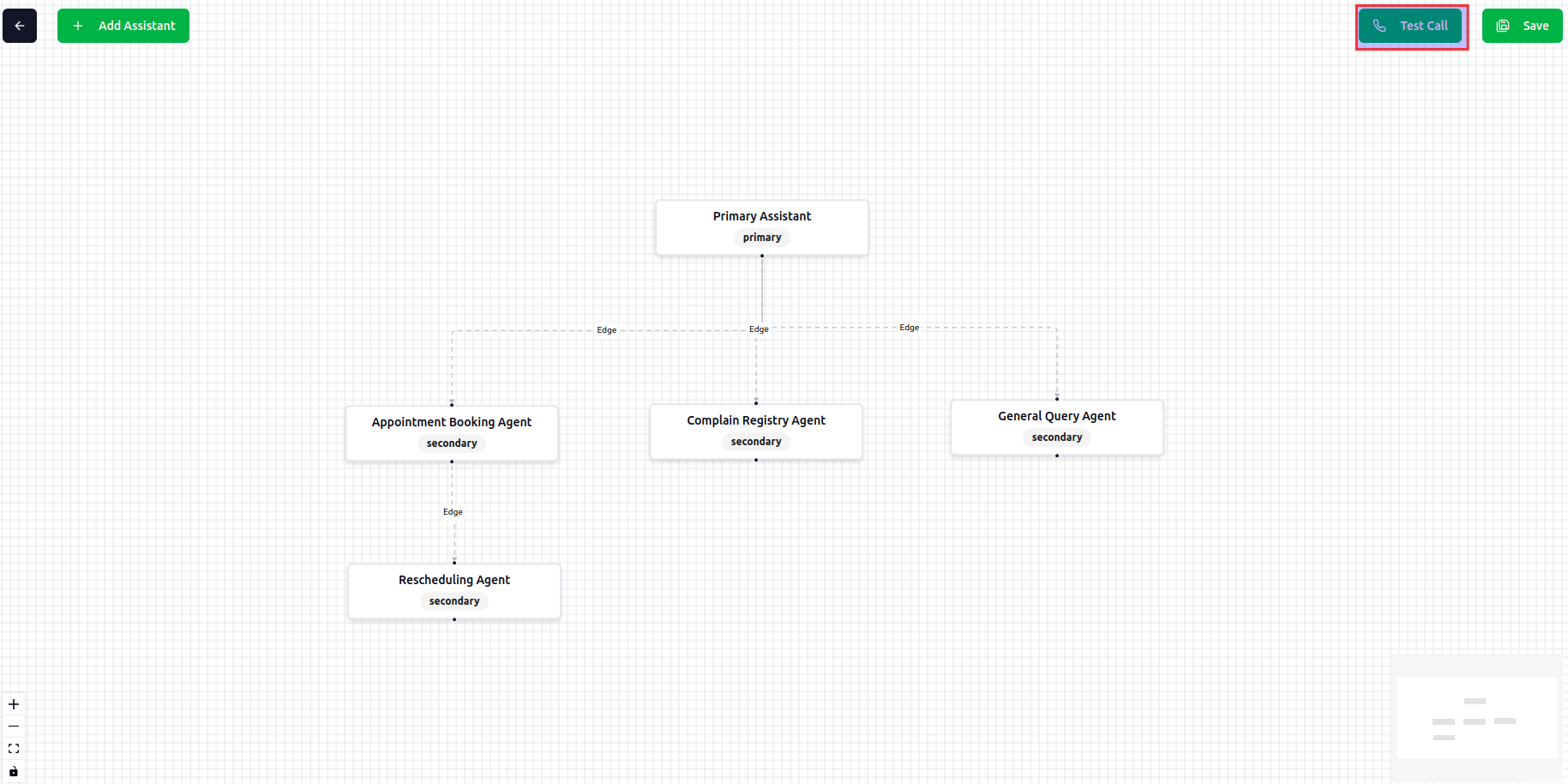
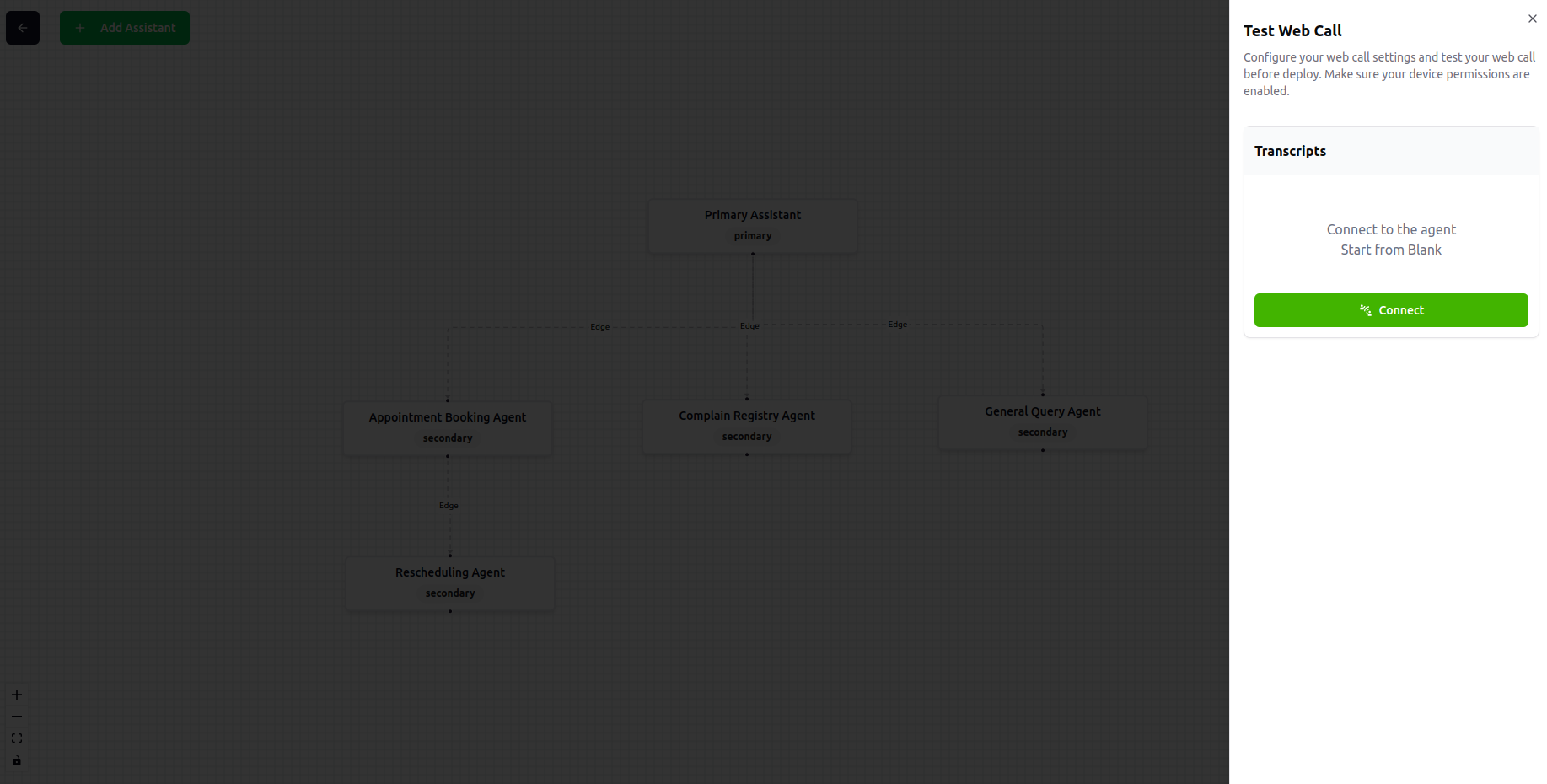 Remember to save the workflow before testing.
## Best Practices
Configure your primary assistant to effectively identify and route requests to the appropriate secondary assistants.
Give secondary assistants clear, descriptive titles that help the LLM understand their specific functions.
Clearly define what each assistant can and cannot do to ensure proper task handling.
Connect relevant knowledge bases to both primary and secondary assistants for comprehensive responses.
Design your assistant hierarchy thoughtfully, with the primary assistant as the entry point and specialized secondary assistants for specific tasks.
Remember to save the workflow before testing.
## Best Practices
Configure your primary assistant to effectively identify and route requests to the appropriate secondary assistants.
Give secondary assistants clear, descriptive titles that help the LLM understand their specific functions.
Clearly define what each assistant can and cannot do to ensure proper task handling.
Connect relevant knowledge bases to both primary and secondary assistants for comprehensive responses.
Design your assistant hierarchy thoughtfully, with the primary assistant as the entry point and specialized secondary assistants for specific tasks.