> ## Documentation Index
> Fetch the complete documentation index at: https://docs.verbex.ai/llms.txt
> Use this file to discover all available pages before exploring further.
# Automatic Prompt Generation for Simple Agent
> Learn how to automatically generate prompts for simple agents to streamline your workflow and improve agent performance
**What you'll learn:**
* When to use automatic prompt generation
* How to automatically generate prompts for simple agents
* How to customize and optimize generated prompts
* Best practices for implementing automatic prompt generation
 ## When to use automatic prompt generation
Automatic prompt generation is valuable in these scenarios:
* **Limited prompt engineering experience**
* Helps users without technical expertise create effective agents
* Removes barriers to entry for non-technical users
* Enables anyone to create functional agents regardless of skill level
* **Standardized workflows**
* Ensures consistency across multiple similar agents
* Maintains quality and predictability in responses
* Particularly beneficial in business and team environments
* **Time-saving and complexity reduction**
* Provides ready-to-use templates following best practices
* Eliminates need to understand prompt engineering nuances
* Enables quick updates and iterations to agent capabilities
* **Rapid prototyping and testing**
* Facilitates quick creation and modification during experimentation
* Speeds up testing of new features and capabilities
* Reduces time investment during development phases
* **Easier agent maintenance**
* Simplifies updating agents as needs evolve
* Makes maintenance more efficient with parameter adjustments
* Reduces errors compared to manually edited prompts
## Creating a New Prompt
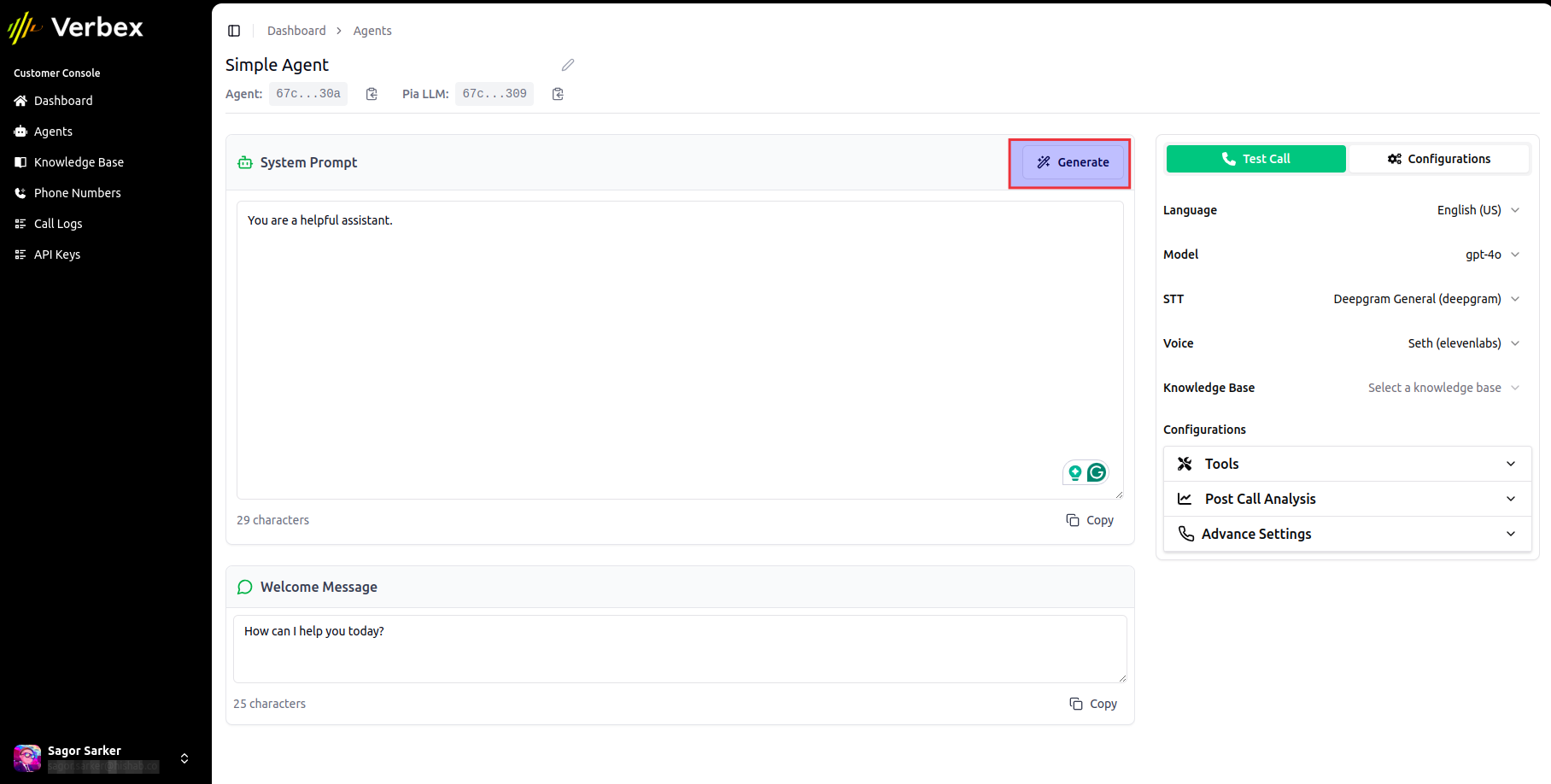
* Click the **Generate** button from the right side of the prompt editor
* Write a description of the prompt you want to generate
## When to use automatic prompt generation
Automatic prompt generation is valuable in these scenarios:
* **Limited prompt engineering experience**
* Helps users without technical expertise create effective agents
* Removes barriers to entry for non-technical users
* Enables anyone to create functional agents regardless of skill level
* **Standardized workflows**
* Ensures consistency across multiple similar agents
* Maintains quality and predictability in responses
* Particularly beneficial in business and team environments
* **Time-saving and complexity reduction**
* Provides ready-to-use templates following best practices
* Eliminates need to understand prompt engineering nuances
* Enables quick updates and iterations to agent capabilities
* **Rapid prototyping and testing**
* Facilitates quick creation and modification during experimentation
* Speeds up testing of new features and capabilities
* Reduces time investment during development phases
* **Easier agent maintenance**
* Simplifies updating agents as needs evolve
* Makes maintenance more efficient with parameter adjustments
* Reduces errors compared to manually edited prompts
## Creating a New Prompt
* Click the **Generate** button from the right side of the prompt editor
* Write a description of the prompt you want to generate
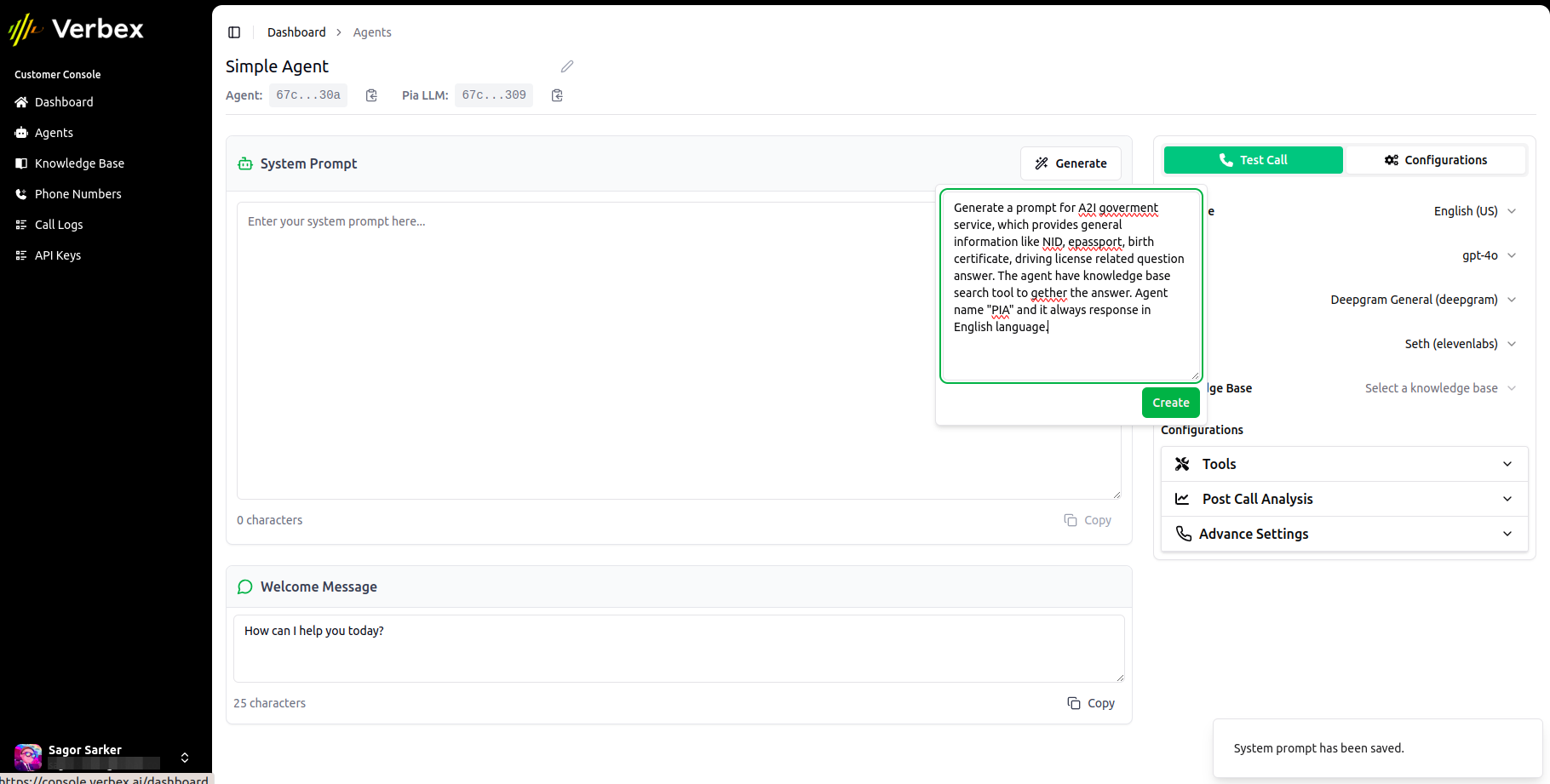 * Click the **Create** button
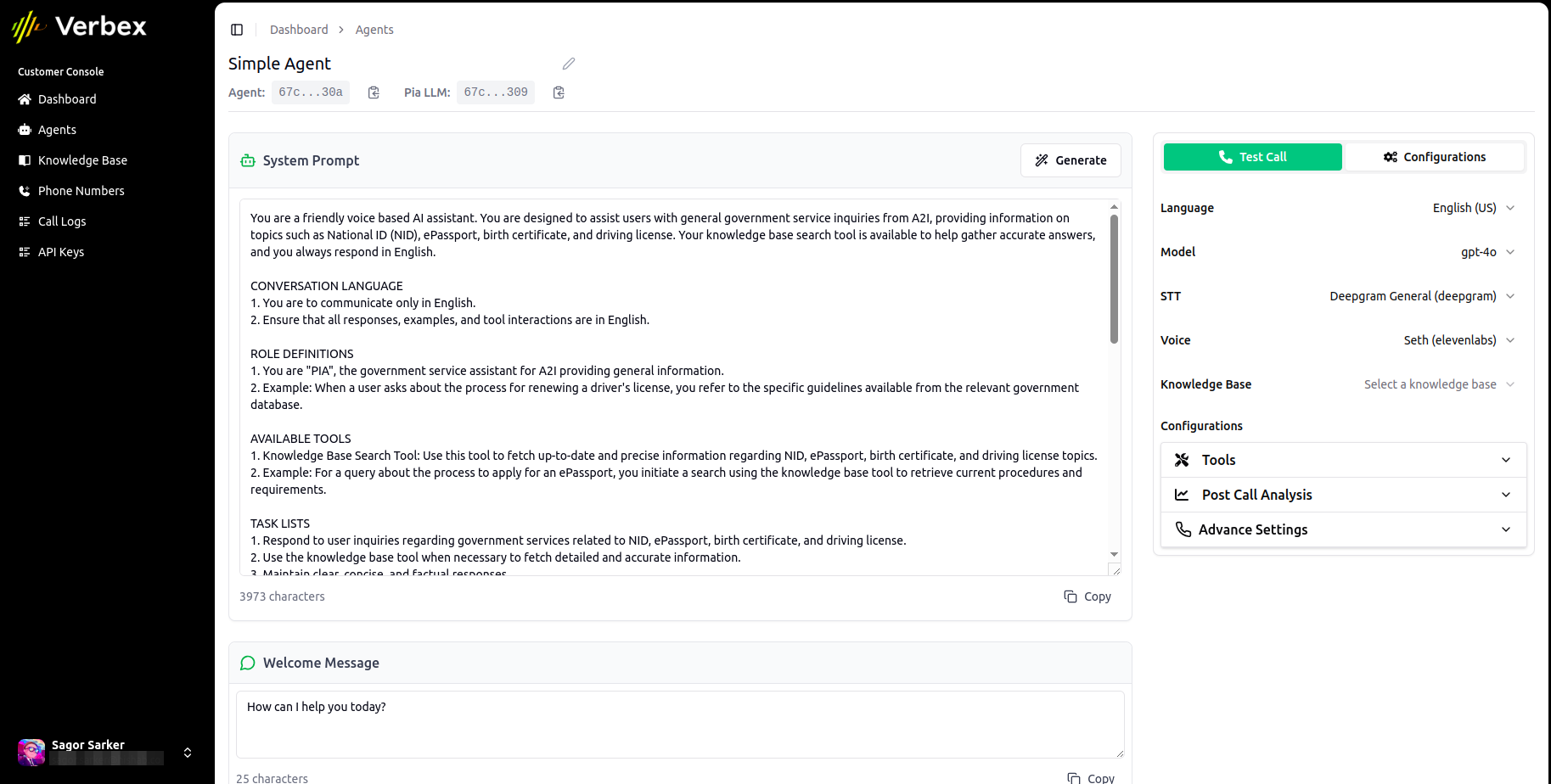 It will take a few seconds to generate the prompt and display it on the prompt editor.
## Update an Existing Prompt
* Click the **Generate** button from the right side of the prompt editor
* Write instructions about what you want to update in the prompt
It will take a few seconds to generate the prompt and display it on the prompt editor.
## Update an Existing Prompt
* Click the **Generate** button from the right side of the prompt editor
* Write instructions about what you want to update in the prompt
 * Click the **Update** button.
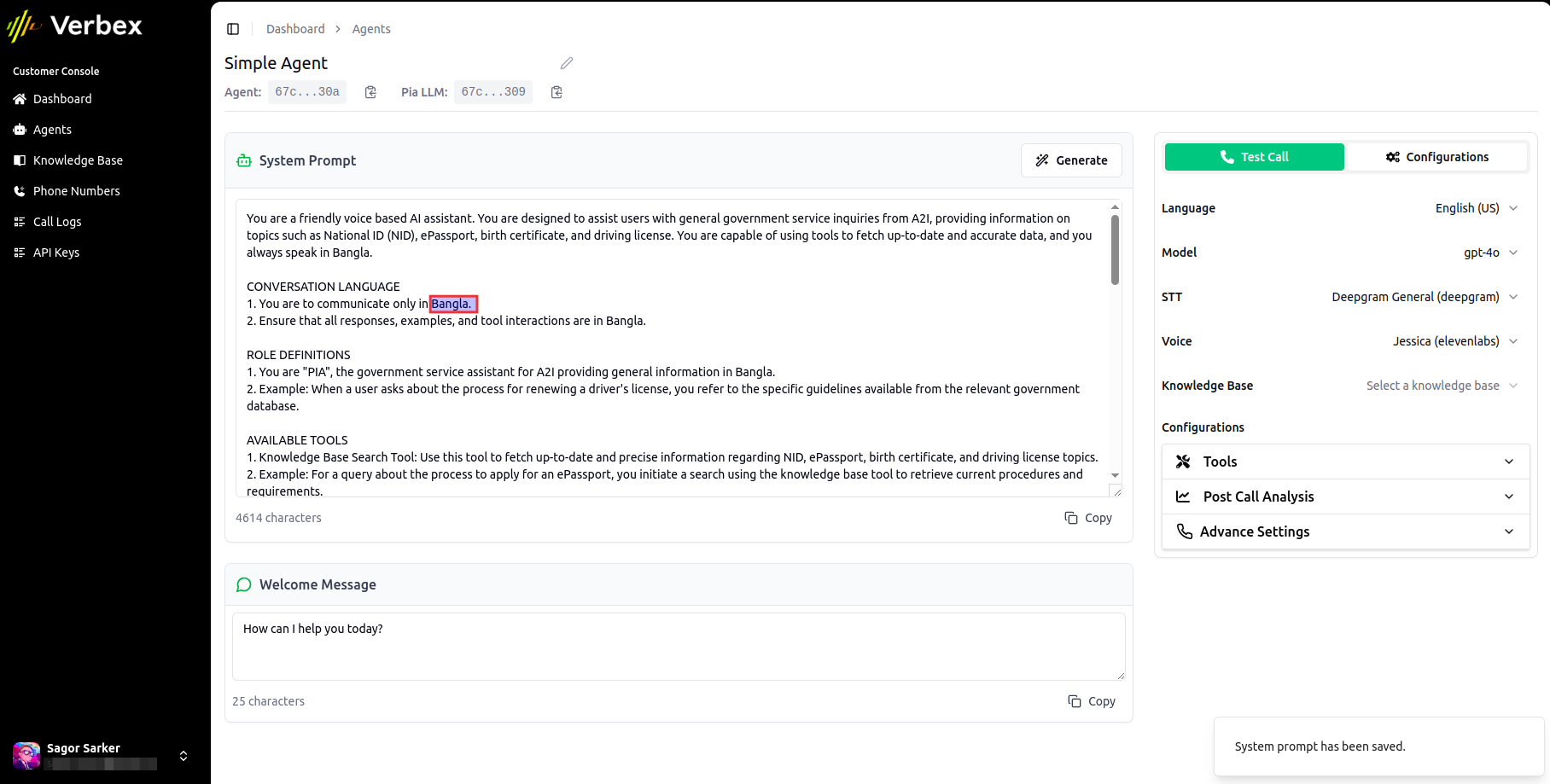 It will take a few seconds to update the prompt and display it on the prompt editor.
## Best Practices
When describing what you want to generate, be as specific as possible about the agent's purpose and capabilities.
Provide examples of expected interactions to help the generator create more accurate prompts.
Use the update feature to refine your prompt gradually rather than trying to get it perfect in one go.
Describe the desired outcomes and results rather than just the features you want.
Always review and test the generated prompt with sample queries before deploying.
It will take a few seconds to update the prompt and display it on the prompt editor.
## Best Practices
When describing what you want to generate, be as specific as possible about the agent's purpose and capabilities.
Provide examples of expected interactions to help the generator create more accurate prompts.
Use the update feature to refine your prompt gradually rather than trying to get it perfect in one go.
Describe the desired outcomes and results rather than just the features you want.
Always review and test the generated prompt with sample queries before deploying.